
Call: 07971191126
 Send Inquiry
 Send Inquiry
Unify Openscape Desk Phone CP110
Price 11000.0 INR/ Number
MOQ : 1 Number
Unify Openscape Desk Phone CP110 Specification
- Type
- Desk Phone
- Material
- Plastic, Electronic Components
- Voice Mail
- Supported
- Use
- Office IP Telephony
- Screen
- Monochrome LCD Display
- Caller ID
- Yes
- DND Feature
- Yes, Do Not Disturb Supported
- Support
- SIP, OpenScape Communications
- Button Type
- Membrane, Programmable Keys
- Caller Transfer
- Yes, Blind and Attended
- Power
- PoE (Power over Ethernet) or external adapter
- Weight
- Approx. 700g
- Color
- Black
- Interface
- 2 x 10/100 Mbps Ethernet Ports
- Firmware Upgrade
- Remote/Auto provisioning
- Mounting Options
- Desktop, Wall Mountable
- Ethernet Switch
- 2-port integrated switch
- Operating Temperature
- 0C to +40C
- Speakerphone
- Full Duplex
- Network Protocols
- SIP, RTP, SRTP, DHCP, LLDP
- Lines Supported
- 2
- Display Size
- 2.0 inches approx.
- Headset Port
- RJ9
- Dimensions (W x D x H)
- Approx. 205 x 185 x 45 mm
- Audio Quality
- Wideband G.722 HD voice
- LED Indicators
- Status and Message Waiting
Unify Openscape Desk Phone CP110 Trade Information
- Minimum Order Quantity
- 1 Number
- Payment Terms
- Cash Advance (CA)
- Supply Ability
- 30 Per Month
- Delivery Time
- 7 Days
- Main Domestic Market
- Pondicherry, Assam, Uttarakhand, Tripura, Kerala, Jammu and Kashmir, West India, Himachal Pradesh, Chhattisgarh, Karnataka, Odisha, North India, Delhi, Arunachal Pradesh, Sikkim, Haryana, All India, East India, Dadra and Nagar Haveli, Nagaland, Telangana, Bihar, Mizoram, Uttar Pradesh, Rajasthan, Chandigarh, Central India, Goa, Manipur, Daman and Diu, Meghalaya, Andhra Pradesh, Madhya Pradesh, Tamil Nadu, Andaman and Nicobar Islands, Gujarat, Punjab, Jharkhand, Maharashtra, South India, Lakshadweep, West Bengal
About Unify Openscape Desk Phone CP110
| Connectivity Type |
|
| Brand |
|
| Color |
|
| Usage/Application |
|
| Model Name/Number |
|
| Availability |
|
Effortless Office Communication
The OpenScape CP110 streamlines daily communication with HD audio, a user-friendly interface, and support for key features such as voicemail and caller ID. Designed for efficiency, it includes both blind and attended call transfer, as well as a Do Not Disturb mode, making it ideal for busy office environments.
Flexible Installation and Connectivity
Enjoy simplicity in installation with options for desktop or wall mounting. The phone's two-port Ethernet switch supports seamless network integration, while support for Power over Ethernet (PoE) and an external adapter offers flexible powering solutions to suit diverse office needs.
Advanced Management and Security
Auto-provisioning and remote firmware upgrades make management straightforward, minimizing downtime. Network protocols such as SIP, RTP, and SRTP ensure secure and reliable communication across the organization's infrastructure.
FAQ's of Unify Openscape Desk Phone CP110:
Q: How do I set up the Unify OpenScape Desk Phone CP110 for office use?
A: To set up the CP110, connect the device to your office Ethernet network using one of the 10/100 Mbps ports. Power can be supplied via Power over Ethernet (PoE) or through an external adapter. Use the desktop stand or optional wall mount, and follow the on-screen prompts for network and SIP account configuration.Q: What features does the CP110 offer to enhance usage in office environments?
A: The CP110 provides a wide range of features including two-line support, Wideband G.722 HD audio, full-duplex speakerphone, voicemail, DND mode, programmable keys, caller ID, and both blind and attended call transfers-all essential for efficient office telephony.Q: When should I use the Do Not Disturb (DND) function, and how does it benefit me?
A: Activate DND mode during meetings or periods requiring focus to prevent interruptions. Incoming calls are silenced, but you can still see missed call notifications, allowing you to manage your availability without missing important information.Q: Where can the CP110 be mounted or installed in the office?
A: The phone supports both desktop and wall mounting, allowing placement flexibility. Its compact design fits well in various office setups, helping you optimize desk space according to your needs.Q: What is the process for upgrading the phone's firmware?
A: Firmware upgrades can be performed remotely through auto-provisioning. This ensures your phone stays up to date with the latest security and functionality enhancements without manual intervention.Q: How does the integrated Ethernet switch benefit my network setup?
A: The built-in 2-port Ethernet switch allows you to connect the phone and an additional network device, such as a computer, using a single Ethernet outlet. This approach simplifies cabling and reduces network congestion in busy office environments.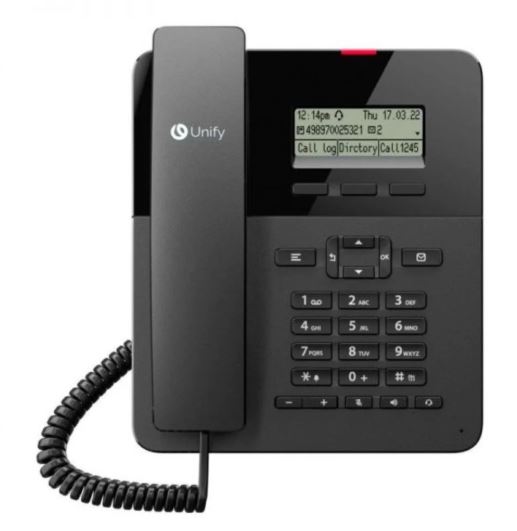
Tell us about your requirement

Price:
Quantity
Select Unit
- 50
- 100
- 200
- 250
- 500
- 1000+
Additional detail
Mobile number
Email

More Products in EPABX Phone Category
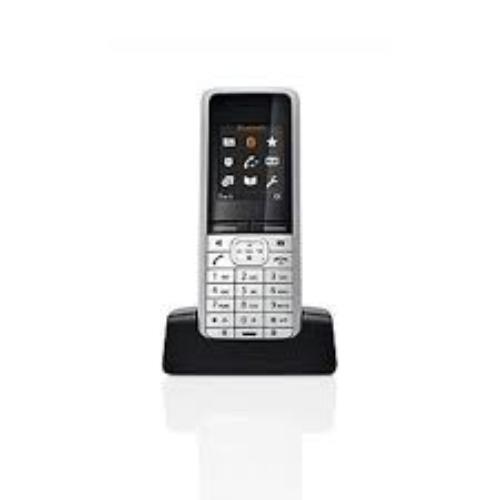
Openstage SL4 Professional Phone
Price 14800.0 INR / Piece
Minimum Order Quantity : 1 Piece
Screen : Backlit graphical display
Caller ID : Other, Available
Button Type : Programmable keys
Interface : Bluetooth, DECT
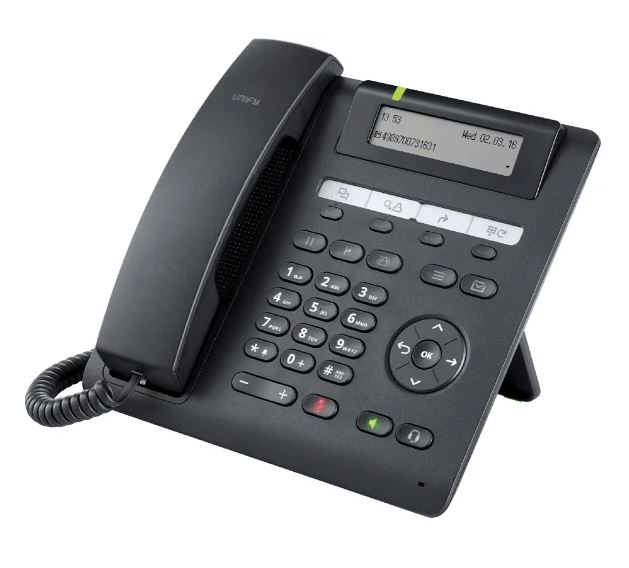
Unify Openscape Desk Phone CP205 HFA / SIP
Price 11000.0 INR / Number
Minimum Order Quantity : 1 Number
Screen : 2.0inch monochrome LCD display, 128 x 48 pixels
Caller ID : Yes
Button Type : Mechanical push button, 4 free programmable keys
Interface : 2 x 10/100 Mbps Ethernet (RJ45), RJ9 headset port
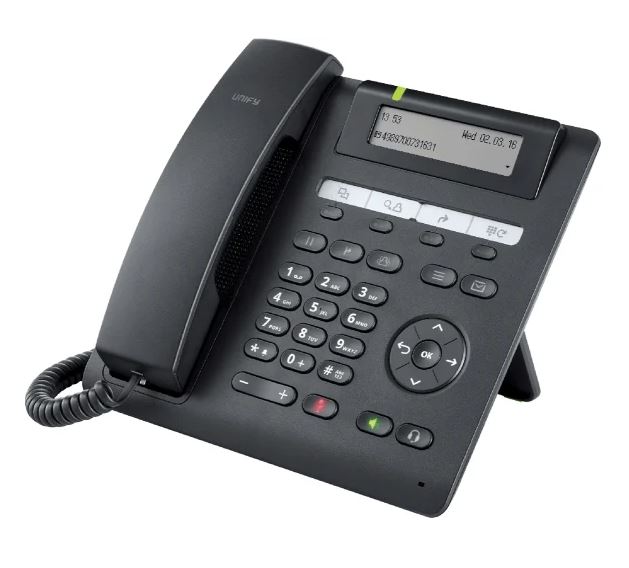
Unify Openscape Desk Phone CP200T
Price 18500.0 INR / Number
Minimum Order Quantity : 1 Number
Screen : 2.0 graphical monochrome display (192 x 48 pixels)
Caller ID : Yes
Button Type : Mechanical keys
Interface : 2 x Ethernet 10/100 Mbps (RJ45), USB 2.0
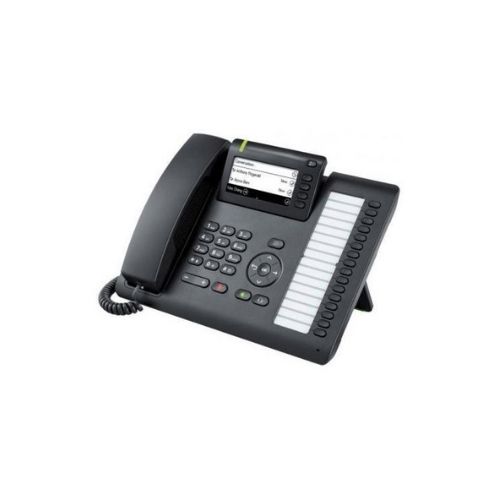
Siemens Unify Openscape Desk Phone CP400T
Price 19800.0 INR / Number
Minimum Order Quantity : 1 Number
Screen : 2.8 graphical monochrome LCD, 192x48 pixels
Caller ID : Yes
Button Type : Physical programmable keys
Interface : Ethernet 10/100/1000 Mbps, RJ45

Contact Details
HEXA COMMUNICATIONS PRIVATE LIMITED
GST : 27AADCH0194G1ZP
- C-328, Shanti Shopping Center, Opp: Mira Road Railway Station, Mira Road East,Mira Bhayandar - 401107, Maharashtra, India
- Phone :07971191126
 Send Inquiry
Developed and Managed by Infocom Network Private Limited.


