
Call: 07971191126
 Send Inquiry
 Send Inquiry
Unify Openscape Desk Phone CP200 HFA / SIP
Price 10799.0 INR/ Piece
MOQ : 1 Number
Unify Openscape Desk Phone CP200 HFA / SIP Specification
- Type
- IP Desk Phone
- Material
- Plastic housing with matte finish
- Use
- Other
- Screen
- Backlit graphical display, 2 lines
- Support
- HFA/SIP Protocols
- Button Type
- Fixed function keys and dial pad
- Power
- PoE (IEEE 802.3af) or external power supply
- Weight
- Approx. 800g
- Color
- Black
- Interface
- 2x 10/100 Mbps Ethernet ports (LAN, PC)
- Headset Interface
- RJ9 headset port
- Handsfree Speakerphone
- Full-duplex speakerphone
- Languages Supported
- Multiple language user interface
- Operating Temperature
- 0C to +40C
- Wall Mountable
- Yes, wall mount kit available
- Compliance
- CE, RoHS
- Volume Controls
- Separate volume keys for handset, speaker, and ring
- Firmware Updates
- Remote firmware updateable
- Number of Programmable Keys
- 4 context-sensitive keys
- Audio Quality
- Wideband HD Voice
- Dimensions
- Approx. 195 x 220 x 80 mm
Unify Openscape Desk Phone CP200 HFA / SIP Trade Information
- Minimum Order Quantity
- 1 Number
- Payment Terms
- Cash Advance (CA)
- Supply Ability
- 30 Per Month
- Delivery Time
- 7 Days
- Main Domestic Market
- Andaman and Nicobar Islands, Andhra Pradesh, Madhya Pradesh, Tamil Nadu, Meghalaya, West Bengal, Lakshadweep, South India, Punjab, Jharkhand, Maharashtra, Gujarat, Mizoram, Uttar Pradesh, Rajasthan, Telangana, Bihar, Dadra and Nagar Haveli, Nagaland, Daman and Diu, Goa, Manipur, Chandigarh, Central India, Haryana, North India, Delhi, Arunachal Pradesh, Sikkim, Odisha, Chhattisgarh, Karnataka, East India, All India, Tripura, Uttarakhand, Kerala, Assam, Pondicherry, West India, Himachal Pradesh, Jammu and Kashmir
About Unify Openscape Desk Phone CP200 HFA / SIP
The OpenScape Desk Phone CP200 is an uncompromising value phone for easy entry into VoIP telephony. It supports the entire range of OpenScape Voice features, has a headset socket and four programmable function keys. The keys are preprogrammed with conversations, people , forwarding and redial . However, they can also be configured as a four line keys for example. The focus on essential functions makes the CP200 an ideal companion for CTI supported workstations.
In addition, the phone has fixed function keys for hold, transfer and conference to quickly interact with the call party. This phone already supports AudioPresenceTM, our trademark for HD audio.
- Graphical display, 2 lines (192*48 pixel), monochrome
- Notification LED
- 4 free programmable feature keys with LED, Pre-programmed with: Call Log, Directory, Forward, Redial
- 5 fixed feature keys, 3 with LED Hold, Transfer, Conference, Settings, Messages
- 4-way navigator, plus OK-key
- 3 audio keys (Mute/Speaker/Headset) with LED
- Volume control +/-
- Open listening / Handsfree talking (Full-duplex)
- Headset port (DHSG/EHS)
- 10/100 Base-T Ethernet Switch
- IEEE 802.3af Power over Ethernet, class 1
- Wall mountable
Superior Audio Experience
Enjoy crystal-clear calls with Wideband HD Voice technology and a full-duplex speakerphone, ensuring seamless conversations even in handsfree mode. The RJ9 headset port further adds flexibility for users who prefer or require a headset during long calls.
User-Friendly Features
Navigate tasks efficiently with a backlit graphical display and context-sensitive programmable keys. Separate volume controls for the handset, speaker, and ringer provide easy audio adjustment, while dedicated fixed function keys streamline daily operations.
Flexible Installation & Integration
The desk phone is wall mountable, with a dedicated kit available. With its dual Ethernet ports, support for PoE (IEEE 802.3af), and remote firmware upgrade capabilities, it integrates smoothly into diverse office setups for exporters, service providers, and wholesalers.
FAQ's of Unify Openscape Desk Phone CP200 HFA / SIP:
Q: How do I update the firmware on the OpenScape Desk Phone CP200?
A: Firmware updates can be performed remotely, allowing administrators to keep the phone's software current without the need for manual intervention at each device. This helps maintain performance and security across your office network.Q: What are the benefits of using Wideband HD Voice technology in the CP200?
A: Wideband HD Voice ensures superior sound clarity by providing a broader frequency range, making conversations more natural and less fatiguing, especially during long calls or conference discussions.Q: When should I use the Do Not Disturb (DND) feature on this phone?
A: Activate the DND function when you need uninterrupted work time or wish to avoid incoming calls temporarily. This feature helps manage workflow and reduces distractions during critical tasks.Q: Where can I install the Unify OpenScape CP200 in an office?
A: The phone can be placed on any desk or mounted on a wall using the available wall mount kit. Its compact size and lightweight design offer flexible positioning to suit different office layouts.Q: What process should I follow to connect a headset?
A: Simply plug your compatible RJ9 headset into the dedicated port on the phone. You can then seamlessly switch between handset, speakerphone, or headset as needed for your calls.Q: How does the CP200 facilitate caller management?
A: With programmable context-sensitive keys, caller ID display, call transfer, and quick access to voicemail, the phone enhances caller management and streamlines workflow for office staff.Q: What is the advantage of having separate volume controls?
A: Individual volume keys for the handset, speaker, and ringer let users tailor audio levels to their preferences, ensuring clarity whether using the phone privately or on speaker.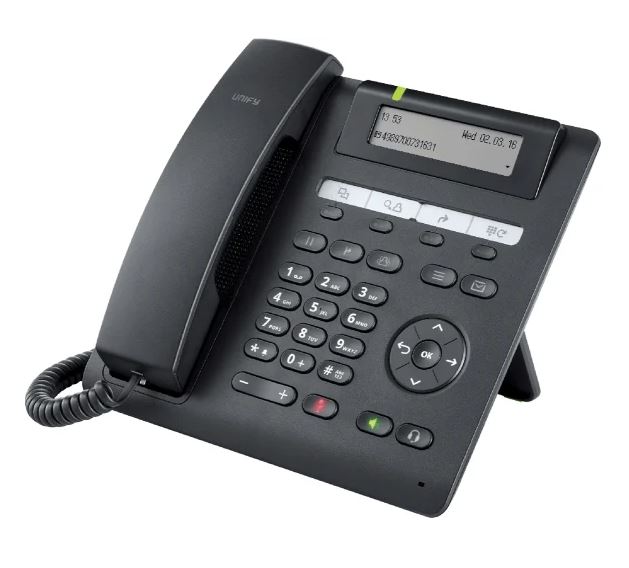
Tell us about your requirement

Price:
Quantity
Select Unit
- 50
- 100
- 200
- 250
- 500
- 1000+
Additional detail
Mobile number
Email

More Products in EPABX Phone Category
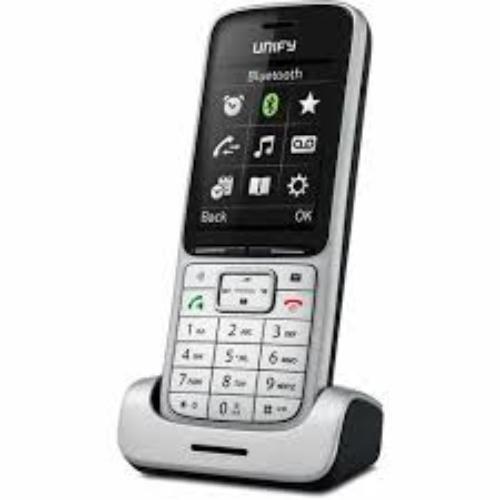
OpenScape SL5 Dect Phone
Price 16000.0 INR / Unit
Minimum Order Quantity : 1 Unit
Screen : 2 TFT color display, 176x220 pixels, illuminated
Color : Silver
Button Type : Illuminated, tactile keys with 5way navigation
Interface : Bluetooth, Headset Jack, Micro USB for charging
Openstage SL4 Professional Phone
Price 14800.0 INR / Piece
Minimum Order Quantity : 1 Piece
Screen : Backlit graphical display
Color : Silver
Button Type : Programmable keys
Interface : Bluetooth, DECT
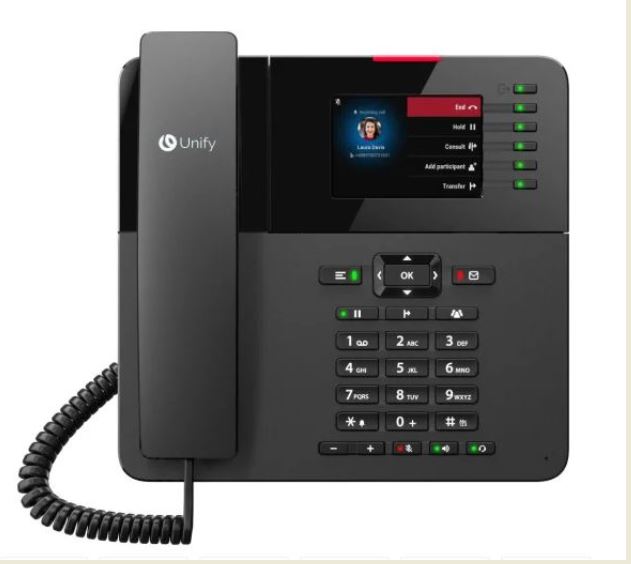
Unify Openscape Desk Phone CP410
Price 18970.0 INR / Piece
Minimum Order Quantity : 1 Piece
Screen : 2.7 Graphical Display, 192x64 pixels, Monochrome
Color : Dark Grey/Black
Button Type : 6 Programmable Keys, 4 Soft Keys, Navigation Key, Volume Keys
Interface : 2 x 10/100/1000 Mbps Ethernet Ports, RJ9 Headset Jack
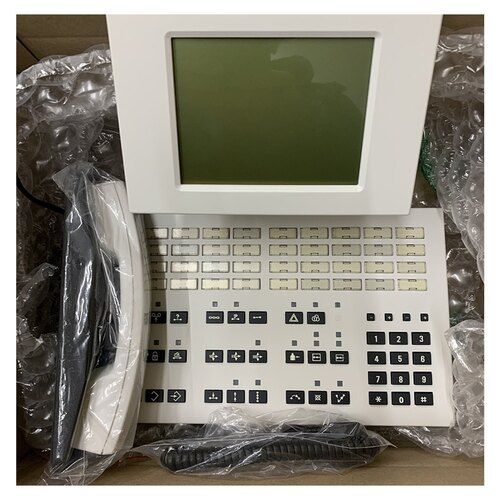
Ac4 Console / Operator Console For H4000
Price 277900.0 INR / Piece
Minimum Order Quantity : 1 Piece
Screen : LCD Display
Color : Black
Button Type : Mechanical Push Buttons
Interface : Wired

Contact Details
HEXA COMMUNICATIONS PRIVATE LIMITED
GST : 27AADCH0194G1ZP
- C-328, Shanti Shopping Center, Opp: Mira Road Railway Station, Mira Road East,Mira Bhayandar - 401107, Maharashtra, India
- Phone :07971191126
 Send Inquiry
Developed and Managed by Infocom Network Private Limited.


